What is TLOGic?
TLOGic is a powerful web-based analysis tool for IBM/Toshiba point-of-sale transaction log (TLOG) files. It provides comprehensive insights into sales transactions, operator performance, department analytics, and much more—all through an intuitive interface.
System Requirements
Recommended Browsers
- Google Chrome (latest version)
- Microsoft Edge (latest version)
- Mozilla Firefox (latest version)
- Safari (latest version)
File Requirements
- TLOG files (.tlg, .dat, .db0)
- Toshiba ACE or SA format
- Optional: Custom tlogmetadata.xml
First Time Setup
Create an Account
Visit the TLOGic application and sign up for an account. New users receive a 14-day free trial with full Professional access (all Standard + Professional features).
- Click "Sign Up" on the login page
- Enter your email address and create a password
- Verify your email address
- Your trial begins immediately
Upload Your First TLOG File
Once logged in, you'll see the upload screen with a drag-and-drop file area.
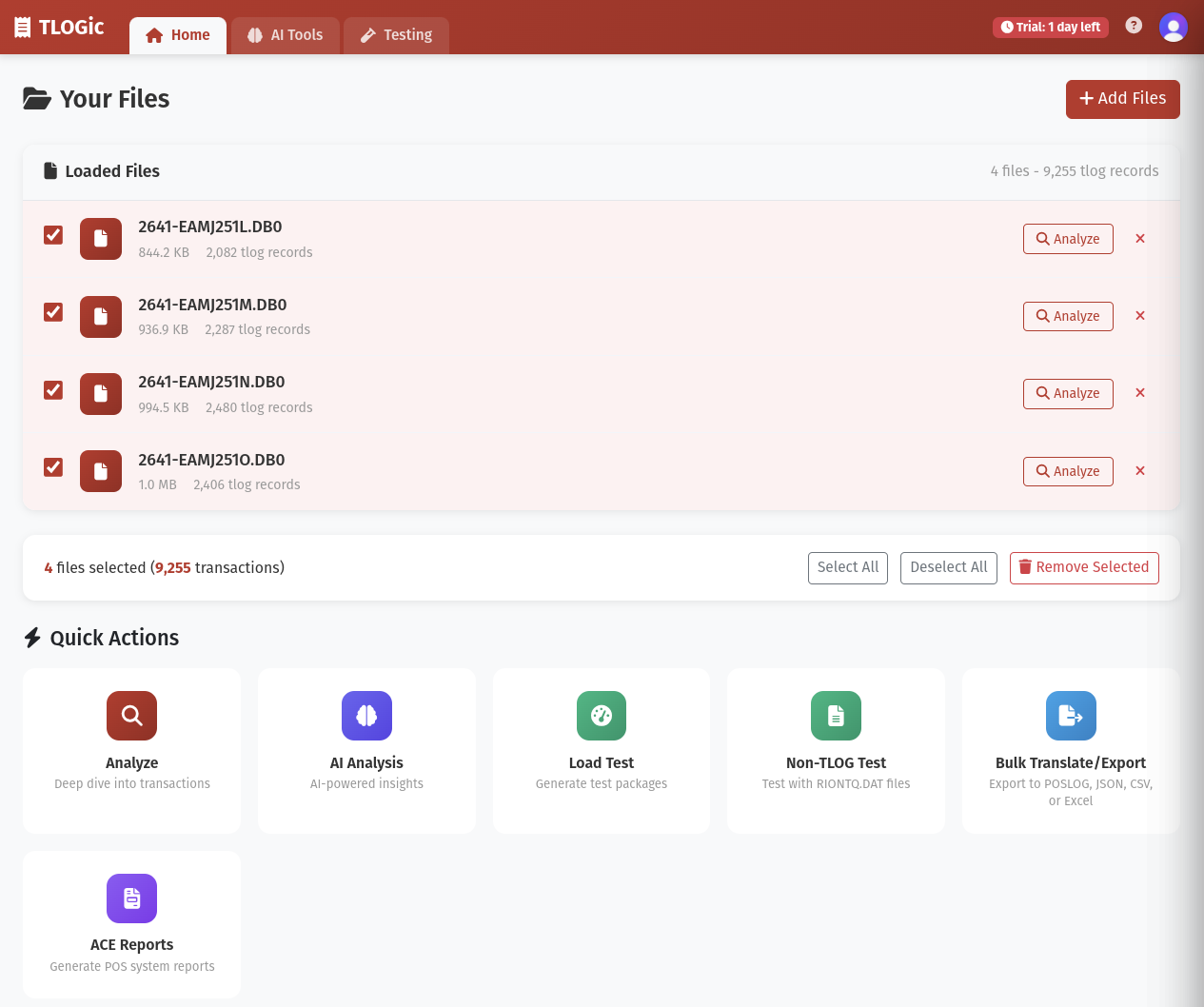
To upload a file:
- Drag and drop your TLOG file onto the upload area, or
- Click the upload area to browse and select your file
- Supported formats:
.tlg,.dat,.db0
Parse the TLOG File
After selecting your file, click the "Analyze" button. TLOGic will:
- Read and validate the file structure
- Parse all transaction records
- Build searchable indexes
- Generate summary statistics
A progress bar will show the parsing status. Large files may take 30-60 seconds to process.
Explore Your Data
Once parsing is complete, you'll automatically be taken to the Raw Data view where you can:
- Browse all transactions in a searchable table
- View detailed transaction information
- Apply filters and search criteria
- Export data in multiple formats
Plans After Trial
After your 14-day trial, you will need an active Standard or Professional entitlement to keep using TLOGic.
- Standard: core parsing, analysis dashboards, exports, and AI workflows
- Professional: includes everything in Standard plus XML/POSLOG and POSLOG-D tools
XML/POSLOG access is now entitlement-based. There is no separate password unlock for those capabilities.
Working with Recent Files
TLOGic automatically saves your recently parsed files for quick access. When you return to the application:
- Click the "Recent Files" dropdown on the upload page
- Select a previously parsed file to reload it instantly
- Recent files are cached in your browser for fast loading
Pro Tip
Use the "Load New File" button in the top navigation bar to upload additional TLOG files without losing your current session.
Using Custom Metadata
If you have proprietary transaction formats or custom field definitions, you can upload a custom tlogmetadata.xml file:
- Click the Settings icon (gear) in the top navigation
- Scroll to the "TLOG Settings" section
- Click "Upload Custom Schema"
- Select your
tlogmetadata.xmlfile - The schema will be validated and applied to future parsing operations
Important
Custom metadata schemas must follow the standard TLOG metadata XML format. Invalid schemas will be rejected with an error message.
Navigation Overview
TLOGic features a dual-navigation system for easy access to all features:
Primary Navigation Tabs
Browse and search all transactions
View file statistics and debug info
AI-powered operator insights
Department sales analysis
Operator performance metrics
Customer transaction analysis
Item-level sales data
Hourly sales heatmaps
File and system information
Next Steps
Now that you've uploaded and parsed your first TLOG file, you're ready to explore TLOGic's powerful features:
Learn Search & Filtering
Master advanced search syntax to find specific transactions quickly.
Read More